1
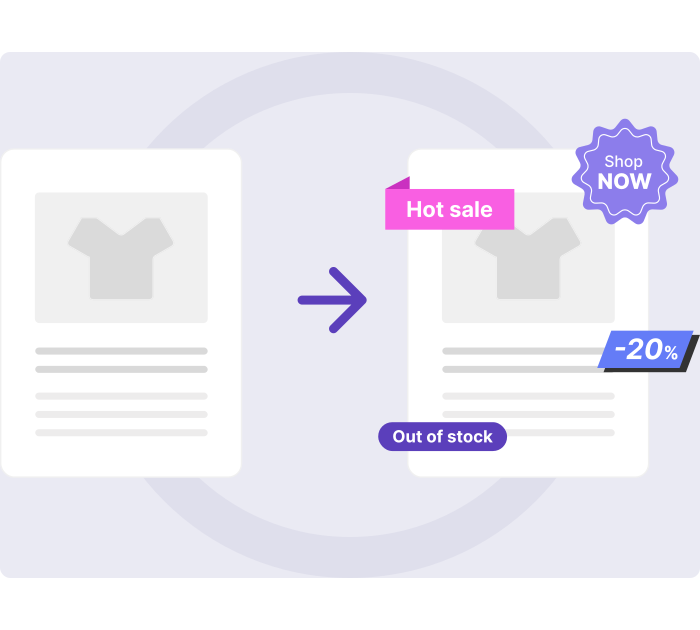
Labels for the product card
With the tools in our plugin, you can create unique labels for your online store that perfectly match your site’s overall design.
2
Design and apply your own unique labels
Easily add a pre-designed label from your graphics program and position it anywhere on the product card. You can also showcase it on the main product image on the product page to make your products stand out.
3
Additional information elements for the product card
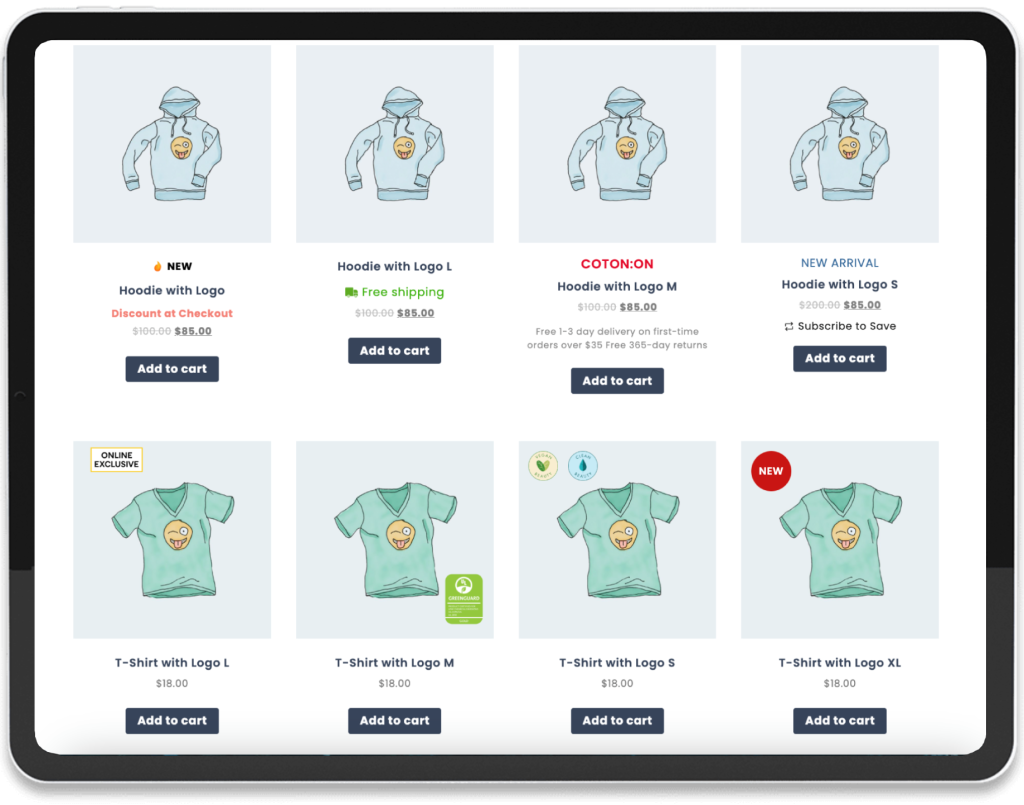
Enhance your product cards with custom information elements using our plugin. Display sizes, delivery options, quantities, and other essential details right on the card to give customers all the information they need instantly.
Core Plugin Features
Explore the key features that make managing product labels and information easy and effective.
Easily design unique labels
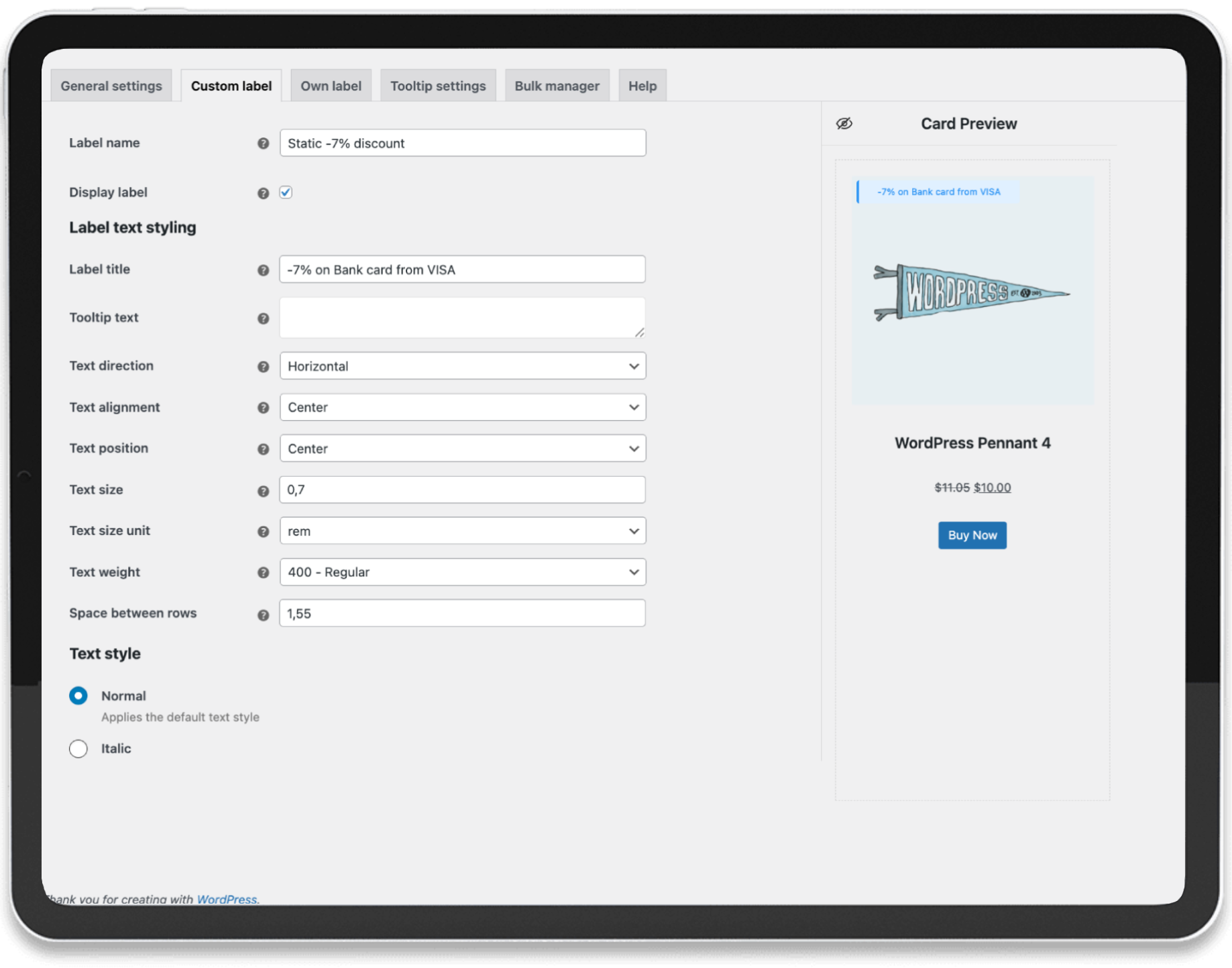
With our plugin, you can design unique labels in just a few clicks. Choose the position, shape, color, and style to make your products stand out and catch your customers’ attention.
Use your ready-made label
Quickly upload your ready-made labels and position them wherever you like on the product card. For maximum visibility, you can also showcase them on the main product image, helping your products catch the eye of shoppers.
Add More Details to Your Products
Make your product cards more informative with custom elements. Display sizes, stock levels, delivery options, and other essential details right on the card, helping customers make confident purchase decisions quickly.
Bulk manager
Our plugin offers a convenient tool for applying labels to multiple products at once. You can use categories and tags to manage labels efficiently, and also add or exclude individual products as needed.
Display SKU and product quantity
Easily add SKU and stock quantity to your product labels. The data is sourced directly from your store’s settings, keeping your product information up-to-date and reliable.
Display "out of stock" status and discount
You can display the discount amount or percentage for products based on the values set in your store settings. Additionally, an "out-of-stock" label can be shown automatically whenever a product is unavailable.
How Information Labels Help Increase Sales
Information labels placed on products can significantly improve customer engagement and boost sales in your online store. By displaying key details — such as size, availability, delivery options, or limited-time offers — directly on product cards, you make it easier for shoppers to make quick, confident decisions.
These labels also draw attention to promotions and key product features, helping important items stand out in your catalog. As a result, customers spend less time searching for information and are more likely to complete a purchase.
In short, well-designed labels enhance clarity, trust, and visual appeal, leading to higher conversion rates and better shopping experiences.
Installation
Install in just a few clicks — no extra steps needed.
Installing our plugin takes just one minute, and once it’s active, your store is immediately ready to start improving sales.
With no complicated setup or coding required, you can quickly add custom labels and information elements to your product cards, highlighting promotions, sizes, availability, and other key details.
This simple yet powerful enhancement helps your customers make faster, more confident purchasing decisions, ultimately boosting conversions and driving revenue.
Questions & Answers
Find quick answers to the questions we hear most about our plugin and its features.
-
1. How to buy the plugin?
We sell our plugin exclusively on the official CodeCanyon.net marketplace — part of the trusted Envato Market ecosystem.
Our plugin has successfully passed all required quality and security checks conducted by the Envato review team, ensuring it meets their high standards for performance, functionality, and code quality.
By purchasing through CodeCanyon, you receive a verified, secure product along with official updates and dedicated support from our team.
You can find our plugin at this address
-
2. Can I hire you to set everything up for me?
Yes! Our team can help you install, configure, and customize the plugin to perfectly fit your store’s needs. We’ll handle all the setup so you can focus on running your business — your plugin will be ready to use right away.
-
3. Plugin compatibility with various WooCommerce themes?
We tested the operation of our plugin on various themes, the test result showed that our plugin works correctly on all themes in which the standard WordPress/WooCommerce behavior has not been changed/rewritten.
On the technical documentation page, we describe in detail how to configure the plugin and solve potential problems. Page here
We also offer our help if your theme has changed the default behavior, just contact us plugins_support@develux.com.
-
4. Is it possible to use bulk manager?
Yes, the plugin allows you to assign labels, timers, and custom information elements to any number of products.
To do this, you can select specific products in which these elements should be displayed. You can also select categories and tags, in which case the elements will be displayed in all products that belong to these categories and tags.
-
5. What types of labels can be used?
Our plugin allows you to create two different types of cards.
The first and main one is to create a custom label for your needs and store style, for this we have developed a large number of tools that will allow you to create exactly what you need.Also, this type of card will allow you to display the following dynamic data:
– Quantity of the product
– Show the percentage of discount on the product
– Show SKU
– Out of stockThe second one is ready-made labels in formats (.jpg, .png, .svg) you just need to add them and process their location
-
6. Can multiple labels be applied to a product?
Absolutely! You can add as many labels as you need from your library. Just make sure to position them in different areas of the product card or main image so they look organized and clear to customers.
Have any questions? Get in Touch
Getting started with Develux today!
Our goal is to deliver the best solution tailored to your business needs.